HSH CommandCenter
A personal AI cockpit — an Obsidian command center over a markdown knowledge base, backed by Python bridges, that briefs me each morning, plans the day, remembers across sessions, and quietly runs the routine. Designed and engineered solo, with Claude Code as primary author under my architecture and review.
▦ Knowledge graph — click a node to open it
Click any node — or tab to it and press Enter — to open its detail. Esc closes.
◆ Command Center
Every Claude session started cold. I’d re-explain which project I was on, what we’d decided last time, and the constraints — before any real work began. Across a handful of projects plus a full personal life, that re-priming was the bottleneck. Not the model — the memory and state around it. The model was capable; it just woke up amnesiac every morning.
So I built on Karpathy’s “LLM-wiki” idea early — plain markdown an AI both reads and maintains, laid out so it can brief itself by index-then-drill instead of a vector database. No embeddings, no vector retrieval: a disciplined file layout, a status/supersession convention, and an assistant trusted to keep it current. At the time it was a hunch.
When I started, the pattern was niche. By mid-2026 the field had converged on it — Karpathy’s “LLM wiki” idea spread widely, and Obsidian’s own CEO shipped official Claude Skills (kepano/obsidian-skills). By the time it became the reference design, I’d already built the cockpit, a food chain, and an overnight research producer on top of the pattern — in about six weeks.
I design systems that make AI genuinely useful day to day — not demos, but software I run my own life on. Built solo, with Claude Code as primary author under my architecture and review.
This page is the map. Five regions — the Brain, the Cockpit, the Workflows, the Phone Bridge, and Under the Hood — each opens to the detail behind it.
🧠 The Brain
The part most “second brain” setups skip — and the part I’m proudest of. The Brain is a Claude-maintained Obsidian vault of plain markdown: every project is a node with durable knowledge pages, a log of what happened each session, and kanban cards. Everything is version-controlled text — no proprietary store, nothing an LLM can’t read and rewrite directly.
I don’t hand-edit it. Claude ingests dropped notes, distils them into durable pages, lints for contradictions, retires superseded facts, and surfaces what matters each morning. I live in the Cockpit and talk to the assistant; it keeps the substrate clean behind me.
How it remembers — index-then-drill, no RAG
The trick that makes recall fast isn’t search — it’s a disciplined set of index files. A root index.md is the master brief the assistant reads first, every session: every project’s one-line standing, its active cards, and the last few sessions. Each project has its own index; a MEMORY.md holds durable facts about me, loaded automatically.
The pattern is index-then-drill: read the index, follow a [[link]] into the one page you need, stop when you have the answer. A few hundred markdown pages don’t need embeddings or a vector database — the index is the retrieval.
Supersession — invalidate, never delete
When a new fact contradicts an old one, the old page isn’t deleted — it’s superseded: a banner and a struck index line mark it stale and point to what replaced it. The audit trail survives, so I can always see why something changed, and a stale fact never silently outranks the truth.
The memory layers
Three layers, each with a job: the vault (durable knowledge + session history), an auto-memory of terse facts loaded every session, and a recent-decisions rail that keeps the last calls in view so they aren’t re-litigated. Together they’re why a fresh session already knows where everything stands.
🖥 The Cockpit
The cockpit is a TypeScript Obsidian plugin I built on top of the vault — the glass over the Brain. It renders the plain-markdown knowledge base as a live dashboard, with an always-present Calendar and a four-lane Mail digest. The files stay the source of truth; the cockpit just makes them glanceable instead of buried.
Without it: I’d re-plan each day from scratch, chase mail across apps, and hold every project’s state in my head.
With it: the day is already prepared before I sit down, and the whole system is glanceable.
🗂 Personal
The tab that runs the day: a Today plan regenerated each morning from my goals and in-flight work (what needs me, a focused goal, my routine), plus Menu, Goals, Subscriptions, Applications, and a Journal. The day is fed by the Daily rollover, the Food chain, and the Journal roll-up. (These touch personal data, so they’re described here, not shown.)
📋 Work
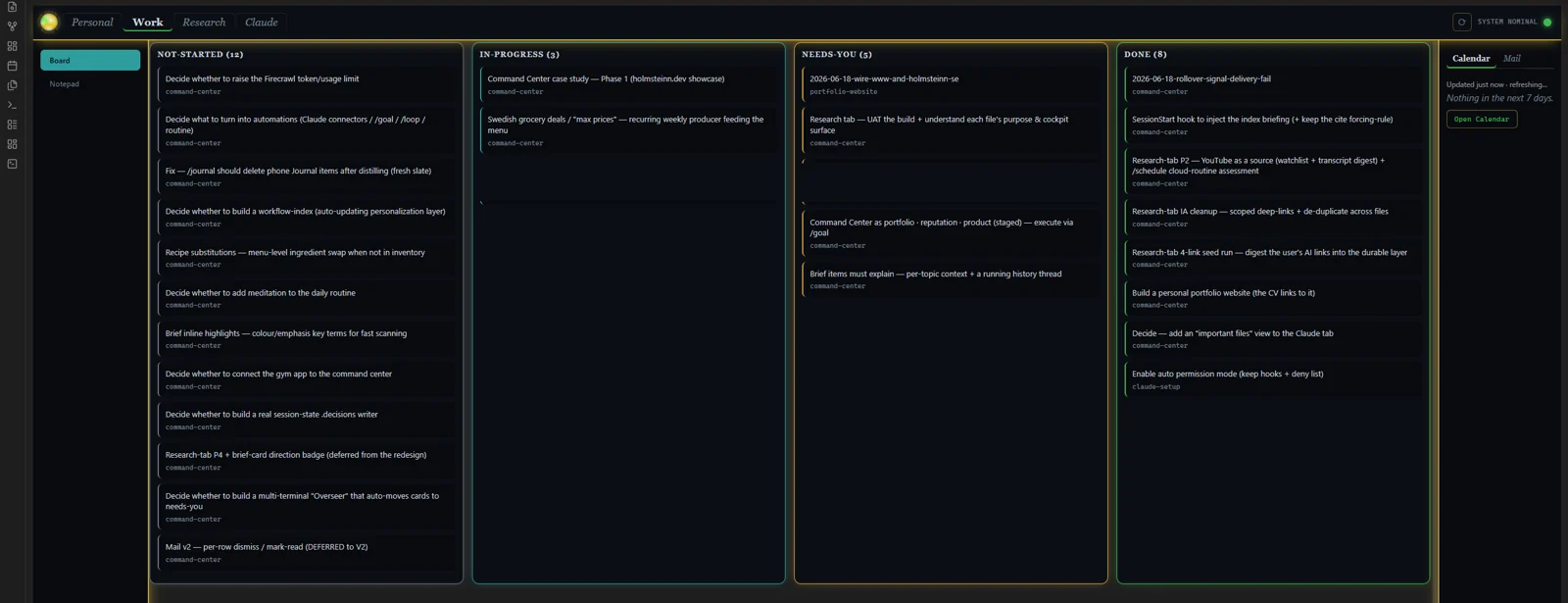
Every project’s cards — not-started, in-progress, needs-you, done — read straight from the markdown files in the vault. There’s no separate database: the board is the files, and it stays consistent across every terminal I have open at once. A Notepad captures loose thoughts that the Notepad → Board workflow turns into cards.
🔬 Research
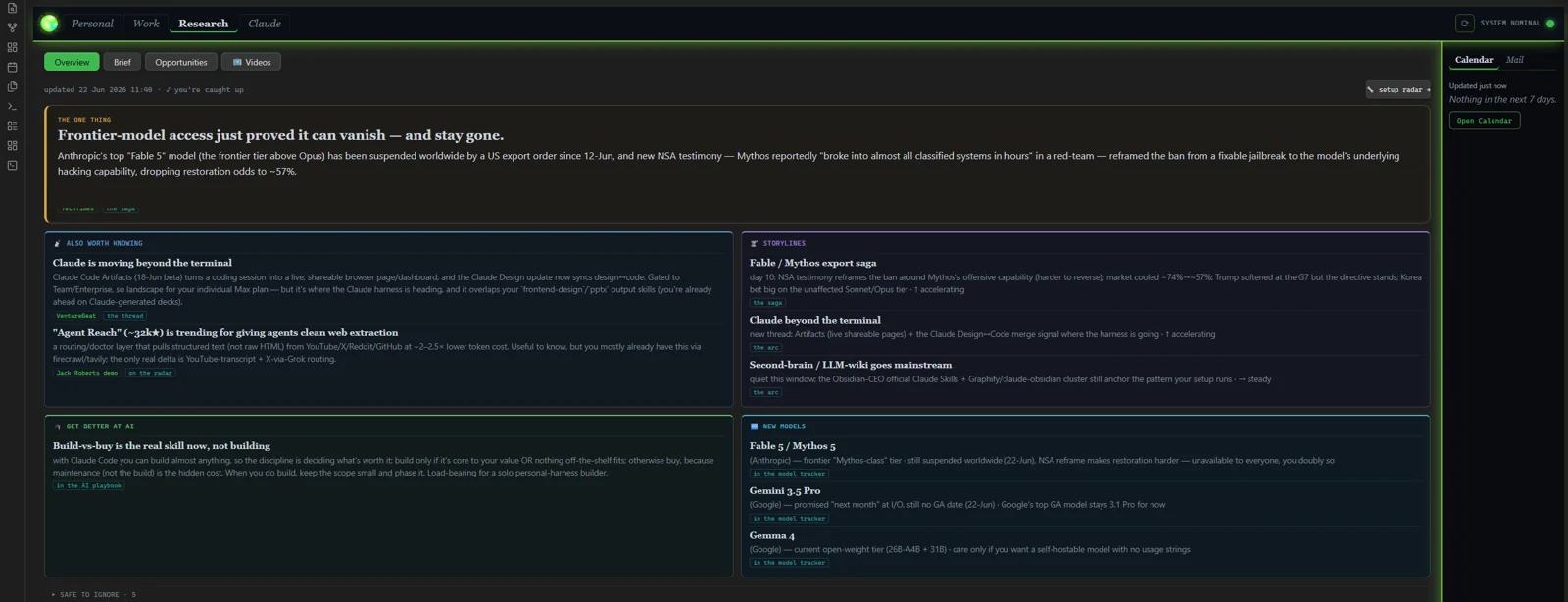
Staying current on AI used to mean an hour of scattered reading. Now the Research pipeline reads the field overnight and hands me a ranked, explained brief every morning: the one big thing, live storylines threaded across days, new models, and a watchlist of channels. I just open the Research tab and it’s waiting.
🤖 Claude
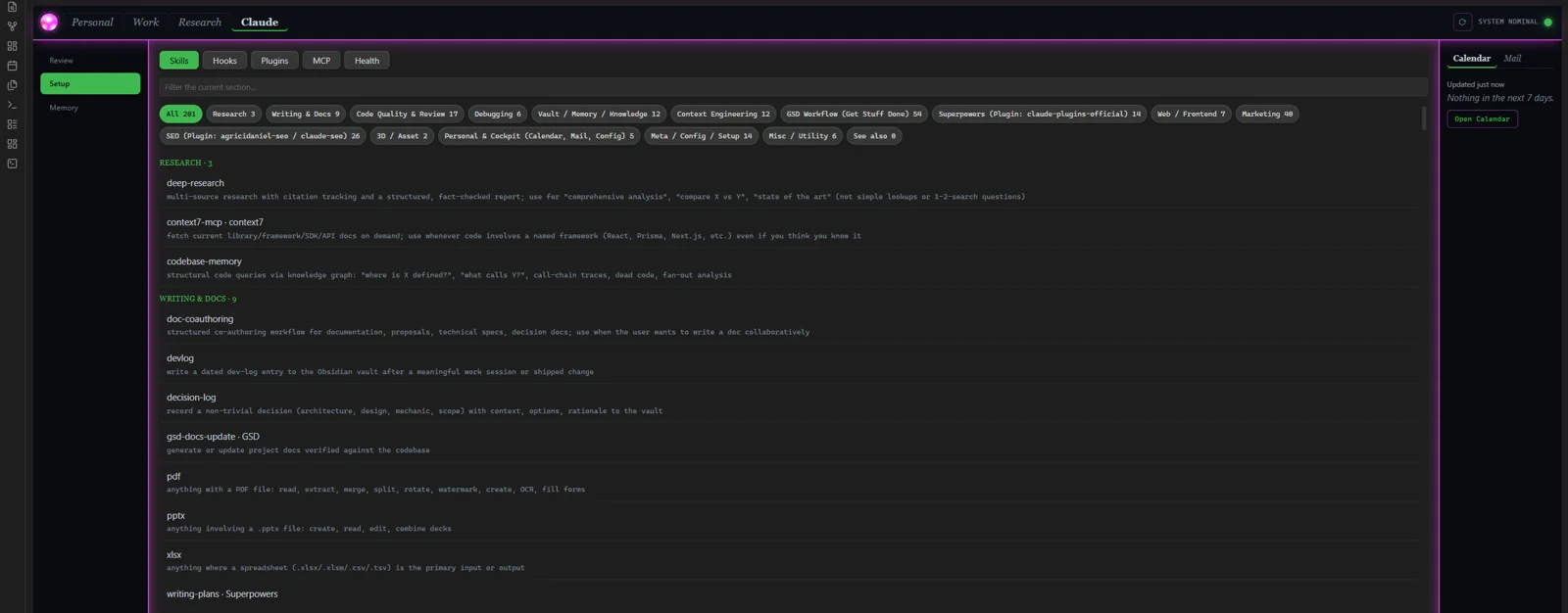
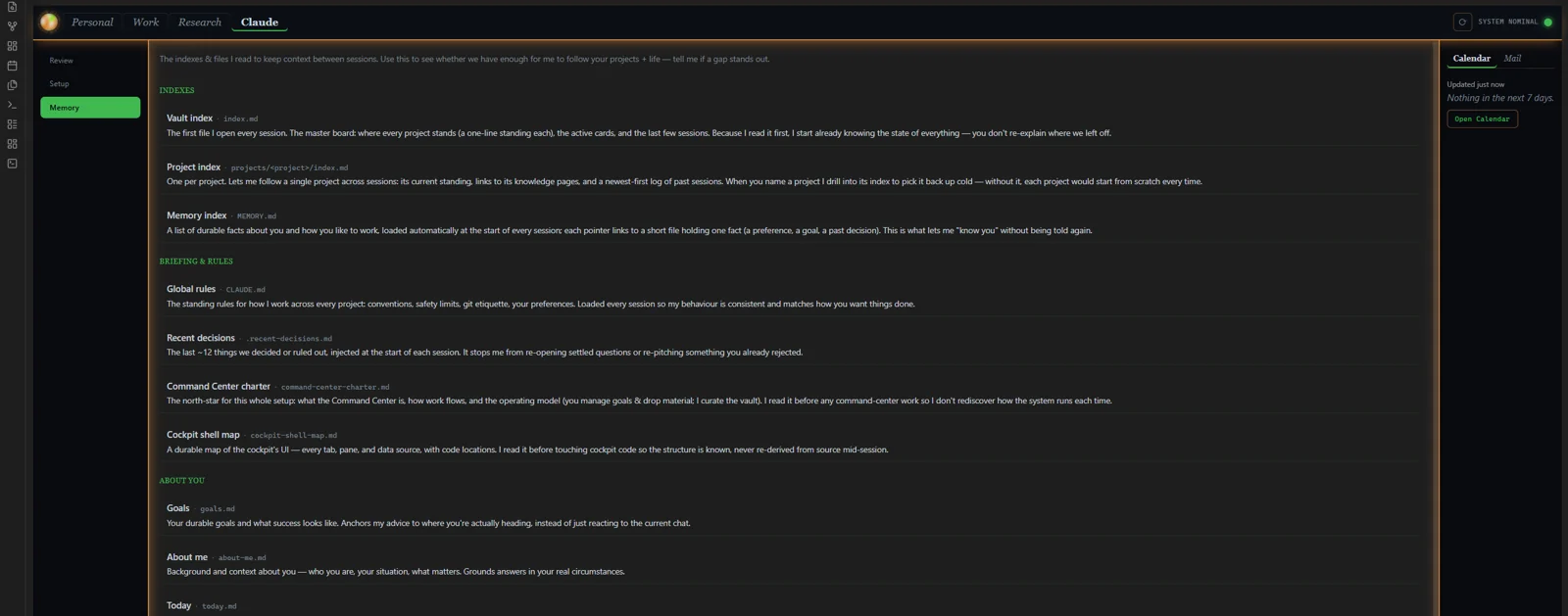
A window onto the assistant itself: Review (the design docs, plans, and reports it produces, bucketed by type), Setup (read-only introspection of the installed skills and hooks), and Memory (the index and memory files that brief it). It’s how I keep an eye on what the janitor is doing to the Brain.
🛰 Global rail
Always on, across every tab: a read-only Calendar (next seven days), a four-lane Mail digest from the Mail triage, a trust light for integration health, a per-terminal context bar per open session, and a drop-strip for raw material headed to the inbox. The Calendar is kept fresh by the Calendar sync.
⚙ The Workflows
If the Cockpit is the surfaces I see, the Workflows are the engines behind them — twelve of them, each modelled below as a proper BPMN swimlane diagram across three actors: me, Claude, and my phone. Click any one to see exactly how it runs.
The interesting problems here aren’t prompts — they’re systems problems: who acts when, where the genuine decisions are, and how state moves between me, the assistant, and my phone.
🍳 Food chain
The flagship. It ties recipes → an apartment inventory → a weekly menu → live grocery deals from my two local stores into a single shopping list. When I ask for a menu, Claude pulls the current deals, builds a protein-cheap week from my own recipe wiki, and — only for what’s not already in stock — writes the gap to a shared list. It feeds the Menu and reaches the Phone Bridge.
| Step | What happens |
|---|---|
| Trigger | I ask for a menu |
| Actors | you · Claude · phone |
| Output | a protein-cheap week + a grocery gap we both tick off, recipe pushed to my phone |
Notepad → Cards → Board
Thoughts I jot anywhere become tracked work. A note dropped on my phone is pulled in, carded verbatim (no paraphrasing), and the original deleted — so it lands on the Work board without me touching a file. The phone side runs over the Phone Bridge.
| Step | What happens |
|---|---|
| Trigger | a note jotted on the go |
| Actors | you · Claude · phone |
| Output | a kanban card, verbatim, on the board |
Research pipeline
A scheduled, headless agent that reads the AI field overnight — all the major labs, capabilities and limitations, prompting and agent craft — then ranks and explains what matters and threads live storylines across days. It writes straight into the Research tab.
| Step | What happens |
|---|---|
| Trigger | scheduled, overnight |
| Actors | Claude |
| Output | a ranked, explained brief waiting in the morning |
Mail triage
Mail is sorted into four lanes — Action, Deadlines, Updates, Promotions — by deterministic rules first; then a daily LLM pass rescues the real human notes the rules miss and promotes them to Action. The result is the Mail digest, surfaced in Today.
| Step | What happens |
|---|---|
| Trigger | mail arrives |
| Actors | you · Claude |
| Output | a four-lane digest; nothing important buried |
Daily rollover
The first session of each day kicks off three rituals automatically — regenerate the Today plan, roll up yesterday’s journal, refine the mail digest — so the brief is ready before I sit down. It populates Personal · Today.
| Step | What happens |
|---|---|
| Trigger | first session of a new day |
| Actors | Claude |
| Output | Today, journal and mail all current by morning |
Journal roll-up
The captures I leave through the day — on my phone or the desktop — are distilled into a dated entry: energy, mood, what drained and lifted, recurring themes. Durable items (a goal, a value) are routed out to where they belong. It records the person, not the work, and reaches the Phone Bridge and the Journal.
| Step | What happens |
|---|---|
| Trigger | first session of a new day, or on demand |
| Actors | you · Claude · phone |
| Output | a dated journal entry + durable items routed to Goals |
/compile ingest
The inbox step. I drop raw material — notes, PDFs, links — into one inbox; Claude classifies each item, distils it into a durable knowledge page, and files it where it belongs in the Brain. Anything personal or sensitive pauses for my OK; the source is then safe-deleted to a trash folder, never hard-removed.
| Step | What happens |
|---|---|
| Trigger | I drop notes in the inbox |
| Actors | you · Claude |
| Output | a distilled, filed knowledge page |
/wrap-up capture
At the end of a session, the reasoning is captured before it’s lost: the narrative goes to the session log, the durable decisions and the rejected options go to knowledge pages, and a supersession check runs. It writes back into the Brain so the next session starts informed.
| Step | What happens |
|---|---|
| Trigger | I call it for the night |
| Actors | you · Claude |
| Output | decisions + rejected options saved; index updated |
/vault-audit
A periodic, eight-dimension health check of the whole Brain: parallel auditor agents sweep the vault, diff against the last baseline, and where they find contradictions they annotate — never delete. It writes a dated report and a fresh baseline.
| Step | What happens |
|---|---|
| Trigger | fortnightly, or on a nudge |
| Actors | Claude |
| Output | a dated audit report + refreshed baseline |
Grocery ↔ Inventory reconcile
Event-driven, not daily: when I say I’ve shopped, Claude diffs the apartment inventory against the list and proposes the changes. Because it writes a shared list, nothing is applied until I approve the diff. It runs over the Phone Bridge.
| Step | What happens |
|---|---|
| Trigger | I say I shopped |
| Actors | you · Claude · phone |
| Output | inventory and the shared list back in sync (after my OK) |
Recipe-to-phone push
When the menu has a recipe scheduled for today, Claude clears and fills a Recipes list with the full ingredients and steps, so I can cook from my phone with zero custom mobile development. It runs over the Phone Bridge.
| Step | What happens |
|---|---|
| Trigger | the menu has a recipe today |
| Actors | Claude · phone |
| Output | today’s recipe, ready to cook from on my phone |
Calendar sync
A read-only refresh: Claude pulls my calendar from iCloud over CalDAV and writes a local file the cockpit reads, so the Calendar pane always shows the next seven days. It only ever reads — it never writes back to iCloud.
| Step | What happens |
|---|---|
| Trigger | on a cadence, or on demand |
| Actors | Claude |
| Output | a current next-7-days agenda in the cockpit |
📱 The Phone Bridge
(Described, not shown — it touches shared, personal data.) The cockpit is desktop-only, so a Microsoft To Do bridge extends it to my phone — and to a second person — with zero custom mobile development. Claude writes to ordinary To Do lists; the phone app I already have becomes the mobile client.
Why a bridge, not an app? Building and maintaining a mobile app for a one-person system is all cost and no payoff. A shared list I already use, written to over an API, reaches my phone and another person for free.
Claude-managed lists
Lists only the system touches: Recipes (filled by the Recipe push so I can cook from my phone), Journal (captures for the Journal roll-up), Notes (jots for the Notepad → Board), and recurring chores. The phone becomes an input and output surface for the whole system without a single line of mobile code.
🛠 Under the Hood
The engineering. The cockpit plugin is 5,752 lines across 54 TypeScript source files, covered by 383 test cases across 43 test files. Around the assistant sit 25 safety hooks backed by an 18-file test suite — including a permission guard that hard-denies catastrophic commands by reading through shell wrappers, not just the surface command; its case-test matrix passes 40 of 40.
I run several Claude sessions against the same vault at once, so concurrent edits use Edit-over-Write, append-only session logs, and atomic claim files — two terminals never silently clobber each other. A trust-check engine watches integration health, and the system offloads state to files and compacts before the context window degrades, so a long session stays as sharp as a fresh one.
On top of Claude Code’s bundled packs I’ve written around 17 skills of my own, backed by ~89 Python bridges that reach Gmail, calendar, and the phone. The knowledge base itself is 311 markdown pages and counting. It all backs up off-machine, with personal data kept out of the history.
Claude Code is the primary author, under my architecture and review. This is explicitly personal software — designed by me, built fast with an AI doing most of the typing. I keep it trustworthy the way any maintained codebase stays trustworthy: a risk-tiered verification cadence, hook test matrices that have to stay green, conventional commits, and human confirm-gates on anything that touches shared or destructive state. A sanitized, open template that lets someone stand up their own instance is on the roadmap.